Guest guides
Your first meal with Horecos: how to choose and send a request
From the map to the booking summary: read the menu, check the details and understand when your request becomes a confirmed booking.

Your first meal with Horecos begins before you sit down: it begins with a choice that works for you. Start with an area, the time you have available and the people you would like to join you. Then use the information in the app to turn your curiosity into a specific request.
Start with the area and the occasion
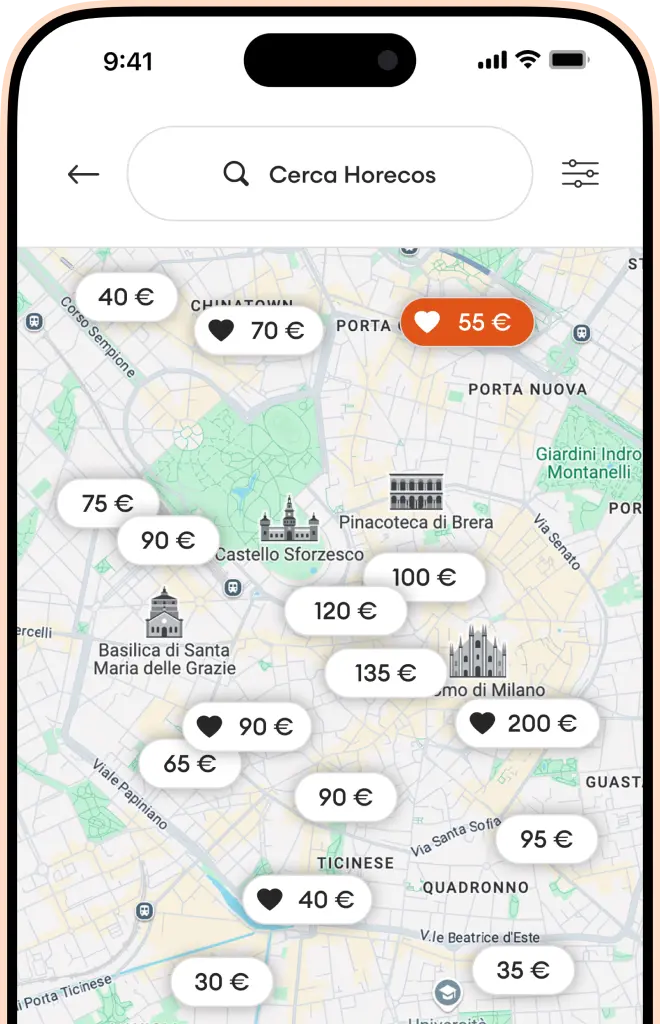
Open the map in the app and explore the area that interests you. You can find actual host and menu availability in the app. Check the options that fit your dates and start picturing the evening.
Think about the occasion, too. A meal while travelling, dinner with your partner and an outing with friends might lead you to different menus. Look for one that suits your group’s preferences and schedule. Making the choice together gives everyone something to look forward to. If the idea is new to you, start with our guide to how a home restaurant works.
Read the menu alongside the profile
Look beyond the photograph and the name of a dish. Read the description, what is included and the details provided by the host. Check their profile and any available reviews as well. Read these alongside the menu description to understand the proposal you are about to request.
If you are deciding between two options, compare the same details: the menu, location, date, time and total price. Choose according to what matters for your evening. Share the two menus with the people joining you and decide which dishes and details you are most curious about together.
Check the details with your fellow guests
Before proceeding, confirm who is actually coming. The number of guests, date and time should match your group’s plans. Read the ingredient information in the menu and describe any particular needs in the request notes. Contact Horecos support if you need clarification before sending the request.
If you would like a change to the menu, describe it clearly in the notes: the host will need to consider that request. Give the same attention to information relevant to your group. Contact support before proceeding if you need clarification on something essential to your choice.
Send a request and recognise the two stages
Once you have chosen, select the booking details and review the summary in the app. Before sending, check the total payable and any applicable fees. Share the summary with the other guests so everyone understands the choice.
After you send the request, it awaits the host’s acceptance before becoming a confirmed booking. The amount is preauthorised on your card when you send the request. When the host accepts, payment is captured and the booking is confirmed. If the request is declined, the authorisation is cancelled, and your bank determines how quickly the hold is released. Keep these stages in mind when checking the status in the app.
After confirmation, review your plans
Check the confirmation and experience details in the app. Share the plans with the other people attending so everyone has the same information. If your plans change, review the booking and applicable cancellation conditions before taking action. Use those details to understand how to proceed in your situation.
- Read the menu and host information.
- Check the date, time and number of guests.
- Describe your needs in the notes and clarify essential questions.
- Review the summary, total and cancellation conditions.
- Check the host’s confirmation in the app.
If you are curious about the other side of the table, discover how a host can prepare their first menu. To choose your first experience, download Horecos and begin with the map. Actual availability is in the app.