Host guides
How to write a clear home restaurant menu
From clear dish names to ingredients and what is included, help guests understand the meal you plan to serve.
Writing a menu means helping someone move from the name of a dish to a clear picture of what they will eat. Your words can express your personality while making the choice easier. Start with the food you actually prepare, then add the details a guest would want to know before taking a seat at your table.
Give each title a straightforward job
A title helps people recognise the dish. Begin with its name or main ingredient, followed by the element that makes it distinctive. For example, “Potato gnocchi with pumpkin cream and sage” lets a reader picture the dish without working through a long sentence.
If you use a family name for a recipe or a regional expression, add a clear explanation. Keep the word you are fond of and explain its meaning in the description. Read all the titles together: they should offer a similar amount of detail and make the sequence of courses easy to follow.
Describe the ingredients and preparation clearly
For each dish, note the ingredients that shape its character, how it is prepared and what comes with it. Include details that may be difficult to see in a photograph, such as a filling, sauce or garnish. Use familiar names and explain terms that some readers may not recognise.
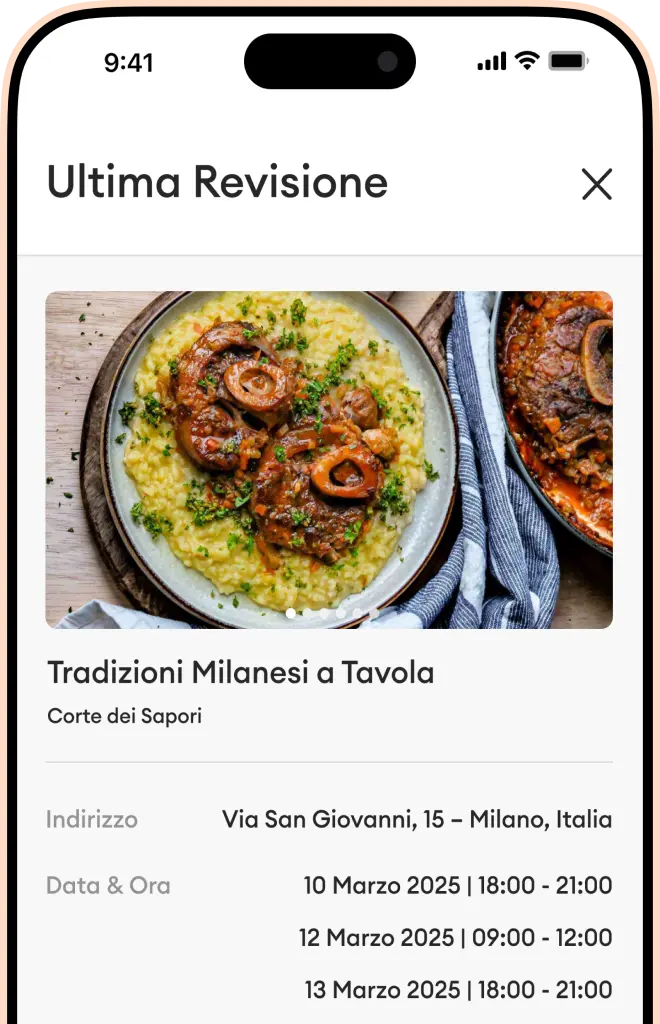
A useful description distinguishes the dish from similar dishes. You might describe the sauce served with the vegetables, the filling inside the pasta or a crunchy topping on a dessert. Pair these words with faithful photographs of your dishes so that the two elements work together.
Make the contents of the menu easy to understand
Look at the menu through the eyes of someone visiting for the first time. Is it a sequence of courses? Does it centre on a dish for sharing? Bread, side dishes and drinks can raise different questions. Describe what you have actually planned, distinguishing accompaniments from the main courses.
Avoid vague descriptions such as “and plenty of other surprises” when they replace information a guest needs. Curiosity can come from the recipe and its story; what is included should be clear. When you mention a drink or a small bite, explain where it fits in the menu.
Add a story that belongs to the dish
After the essential details, you can add a sentence about why you enjoy this recipe. Choose something true: a favourite part of the preparation, an ingredient you often use or a habit in your kitchen. A concrete detail gives even a short description a sense of personality.
Keep the wider story for your profile. Our guide to introducing your cooking as a host helps you choose which personal details to share. Menu and profile can complement each other: one describes the meal, while the other introduces the person who prepares it.
Read it as though you were a new guest
Set aside what you already know about the recipe and check the words on the page. Ask someone to describe the dish back to you after reading only the text. Their questions will show you which details could use a clearer explanation.
- Do the titles identify the dishes you plan to serve?
- Are fillings, sauces and accompaniments described?
- Is it clear what the menu includes?
- Do the photographs and words describe the same dishes?
Whenever you change a dish, update its description as well. With a clear draft in front of you, download Horecos and start presenting your menu in the app.